You open your analytics and traffic has halved. The first reaction is always the same — something broke, the texts need changing urgently. That’s the most expensive reaction in SEO, because in a panic people rewrite a site that was never broken.
There is an order of checks that tells you in half an hour whether you have a problem or not. Work from the top down and stop as soon as you find the cause.
1. Is the drop even real
Before anything else, rule out a false alarm:
- Analytics stopped measuring. Somebody changed the theme, deleted the tracking code, or cookie consent started blocking measurement. Compare with Search Console — if it shows the same number of clicks as before, the site is fine, the measurement isn’t.
- Season. If you sell air conditioning, October isn’t July. Compare with the same period last year, not with last month.
- The calendar. Holidays, a company shutdown, one extra weekend in the month.
- A bot that left. If the drop is only in analytics and not in Search Console, you probably lost fake traffic, not real traffic.
2. Does the site work at all
It sounds silly, but this is a more common cause than you’d think:
- open the site in a private window, and on a phone
- check whether the SSL certificate has expired (the browser will shout)
- check
robots.txt— oneDisallow: /after a site move brings everything down - in Search Console, “URL inspection”, put in the homepage and see whether it’s still indexed
If the cause is here, you fix it and it comes back within a few days. Don’t touch the content.
3. Did Google change something around those days
This is the step people skip most often, and the one that saves the most.
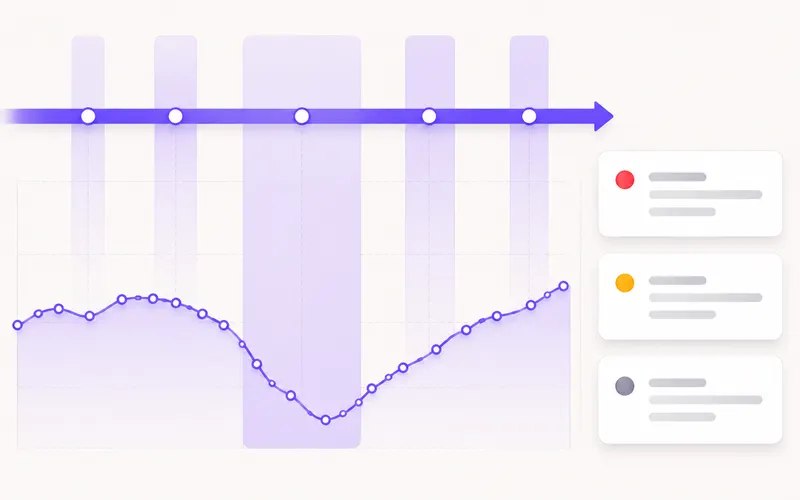
Google changes how ranking works several times a year. When it does, thousands of sites move at once — and your drop has nothing to do with anything you did.
How to check: take the exact start date of the drop from Search Console and compare it with the list of confirmed Google changes. If it matches within a day or two, that’s almost certainly the cause.
And most importantly: while an update is running, you change nothing. It lasts from one to four weeks, positions jump up and down, and anything you change in that period you can’t measure. Wait for it to settle, then measure.
That’s why the tool keeps a list of confirmed changes with dates, right next to your chart — that’s what the dashboard is for.
4. Did the whole site drop, or only part of it
This separates two completely different problems. In Search Console, Performance → Pages, compare the period before and after the drop:
- Everything dropped equally → a technical problem or a Google update.
- One group of pages dropped (e.g. everything in one category) → the problem is in that part of the site.
- One page that carried everything dropped → somebody overtook you for one keyword. That’s the easiest case.
5. Who is above you now
If a small number of pages dropped, open those queries in search (private window) and look at who holds the places that used to be yours.
Look for something concrete: is that text longer, newer, with a table, with prices, with answers to questions you don’t have. In nine cases out of ten the difference is visible within a minute.
The fix is then an addition to your existing text, not a new one.
6. Did you change something 2–4 weeks earlier
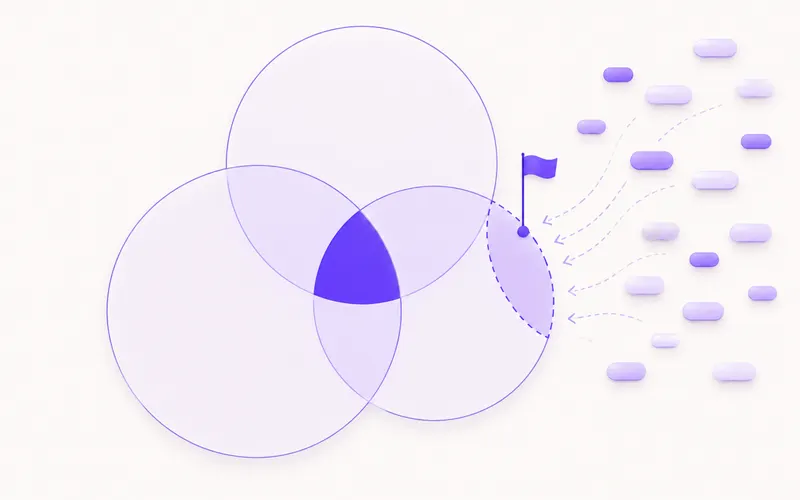
Google doesn’t react the same day. If the drop started on the 20th, look at what happened at the start of the month:
- page addresses changed without redirects
- a redesign that stripped text off the pages
- a new “SEO optimisation” plugin that changed titles across the whole site
- a move to different hosting
- a menu restructure that broke internal links
This is a cause more often than any Google update, and the easiest to miss because it doesn’t happen on the same day.
What NOT to do
- Don’t delete pages that dropped. A drop doesn’t mean the page is bad.
- Don’t change everything at once. If you change ten things and traffic comes back, you don’t know which one helped — and next time you won’t know what to do.
- Don’t buy links in a panic. It’s the only step on this list that can do lasting damage.
- Don’t draw a conclusion from three days. A week is the minimum, two are fair.
How to stop this catching you by surprise
The only real protection is measuring in advance. If you only start tracking positions when you notice a drop, you have nothing to compare against and all you have left is guesswork. With a couple of months of history you can see the exact day it started, and that’s half the answer.
In short
- First check whether the drop is real (analytics, season, calendar), then whether the site works.
- Compare the date of the drop with the list of confirmed Google changes — and during an update, touch nothing.
- Look at whether the whole site dropped or one group of pages; those are different problems.
- Look for changes you made 2–4 weeks earlier — that’s the most common hidden cause.
- Delete nothing and don’t change ten things at once.