Connect Google Search Console and Bing Webmaster Tools
Until they're connected, the tool runs on estimates. Once you connect them you're looking at what Google and Bing actually recorded: real queries, clicks, impressions and index status. Both are free, we get read access only, and you disconnect whenever you like.
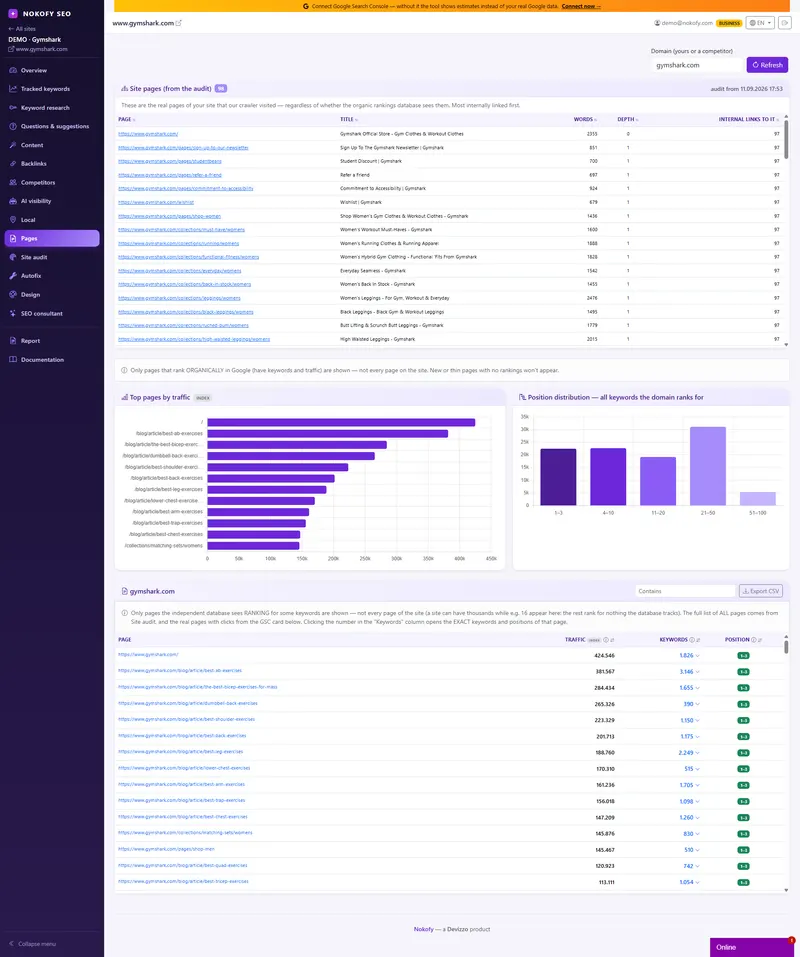
- 16
- months after which Google deletes your data
- 6
- months of daily impressions and clicks from Bing
- 0
- changes we can make — we only read
The problem: every tool shows you an estimate, while your site already has measurements
Google records what happens to your site in search every single day: which query somebody typed, how many times you appeared, how many times they clicked and what position you were in. That data already exists and it’s yours. It sits in Search Console, which is free and which most site owners open twice a year — because what greets them is a thousand-row table without a single recommendation about what to do with it.
When any SEO tool shows you estimated traffic, that’s calculated from a database of positions and search volumes. Useful for comparing yourself with competitors, but it isn’t your truth. Your truth is in Search Console.
And there is a quiet loss few people are aware of: Google keeps only the last 16 months. Everything older is deleted and there is no way to recover it. Every day that passes without a connected account means one month of data will one day be missing.
Let’s clear up the worry first
This is where most people hesitate, so let’s be plain about what we can and cannot do.
We only read. We change nothing. The connection you approve grants read access only. We cannot change any of your settings, cannot remove a page from the index, cannot add or remove a user, cannot submit a request on your behalf. Technically we aren’t even allowed to — not because we promise, but because we don’t ask for that level of access at all.
We don’t touch your site. We inject no code, change no files, and ask for no hosting or site admin passwords.
It’s free, both with them and with us. Google Search Console and Bing Webmaster Tools are free services, and connecting them to the tool isn’t a separate plan.
You disconnect whenever you like. You end the connection from the tool in one step, or from your Google account, where you can see everything you’ve ever approved. You don’t have to ask anybody and you don’t have to explain anything.
The whole procedure takes a couple of minutes and requires no technical knowledge.
How it works
You approve access. You sign in with your Google account and approve reading. It’s one screen shown to you by Google, stating exactly what is being requested.
The matching is suggested for you. The tool works out which of your sites corresponds to which property in Search Console — with www or without — and proposes the match. You just confirm.
History starts straight away. Pulling begins that same moment, in the background, so you don’t have to sit and wait. After that everything syncs automatically every night. If Search Console holds a site you don’t track here, the tool shows it and you add it in one click.
Bing is even shorter: there’s an import-from-Google-Search-Console option, so the site comes across with ownership already verified. You take the connection key in the Bing tool’s settings, in the API access section, and paste it here. That’s the whole job.
What you get
Real queries, clicks, impressions, CTR and positions. Not estimates, measurements. An impression means you appeared in the results, a click means somebody came to the site, and CTR is the percentage who clicked out of those who saw you.
Every keyword you appear for, including the ones you don’t track. This is the biggest surprise for most people. You see queries you never had on any list, and among them there’s often a topic you never considered that carries half your traffic.
CTR opportunities. Queries where you have many impressions and few clicks. You’re visible, but the title and description in the results don’t convince. That’s the cheapest fix in SEO, because you change text, not position.
Index status. Indexing is when Google writes your page into its register, because without that it can’t show it at all. You see which pages are in, which aren’t, and why.
Up to 16 months of history — which we keep afterwards. Google deletes anything older than 16 months. What we pull once stays. This is the single reason it’s worth connecting the account today, even if you won’t look at the data until next month.
Bing, which is no longer a sideshow. Bing brings fewer visits than Google and nobody hides that. But the Bing index is today one of the doors through which AI reaches content — what ChatGPT searches when it needs a source from the web. The question of how many of your pages AI can find at all has a measurable answer, and that answer is the state of your site in the Bing index. Along with it you get around 6 months of daily impressions and clicks and a button that submits your most important pages to Bing for consideration.
A real example
The owner of an appliance repair service tracks twenty keywords, all about washing machine repairs. He connects Search Console and within minutes has the full list of queries his site appears for.
Third by number of clicks sits a query that was never on any list: a question about one error code on the display. One old page, written three years ago as a passing note, carries almost a third of his search traffic. He never knew.
Right after that he sees the CTR opportunities: two queries with lots of impressions and clicks under two percent. The position is fine, but the title in the results says nothing. He rewrites the title and description, without touching the content and without any new links.
In the Bing panel he sees that the index holds half as many pages as the site has, so he submits them. A month later: two pages with a better CTR, one whole new topic he now knows about, and content visible where AI looks for answers too.
Who it’s for
A business owner — you stop guessing. You see which questions bring you customers and which device they come from.
A marketer inside a company — measured data is the only set of numbers nobody in a meeting can dispute.
An agency or freelancer — you add sites from Search Console in one click, and the history you pull stays even after Google deletes its own. That’s an archive your competitors don’t have.
An online shop — index status and sitemap errors show how many of your products Google sees at all, and the Bing index shows the same for AI answers.
Honestly: connecting doesn’t fix anything by itself — it gives you the truth instead of an estimate, and what you do with it is still your job. The data you see starts from the moment Google began recording it, and we can only pull what it still holds at that point; anything older than 16 months is already deleted and nobody can bring it back.
Frequently asked questions
Can you change anything in my account or on my site?
No. The connection is read-only. We cannot change a setting, remove a page from the index, add users or submit requests on your behalf. We don't touch the site at all — we ask for no hosting or admin access.
Can I disconnect the account?
Yes, at any moment and in one step from the tool. You can also do it from your Google account, in the list of approved access, where you can see everything you have ever authorised. We don't ask for a reason and we don't put obstacles in the way.
How long does connecting take and do I have to wait?
The procedure itself is a couple of minutes. Pulling the history starts immediately and runs in the background, so you can close the window. After that the data syncs automatically every night.
What does keeping the history forever mean?
Google holds the last 16 months and deletes everything older, with no way to get it back. What we pull once stays with us afterwards. That's why it's worth connecting today, even if you won't look at the data for another month.
I have a site in Search Console that I don't track here.
The tool spots it and shows it to you, so you add it in one click, without proving ownership again. For agencies that means a whole portfolio moves across in a couple of minutes.
Why connect Bing when almost nobody comes from there?
For two reasons. You get around 6 months of daily impressions and clicks, and you see the state of your site in the Bing index — which indicates how many of your pages AI can find at all. Adding it takes a minute through the import-from-Search-Console option.
Works together with
The tools in Nokofy build on each other — here is what naturally goes with this one.
Connect today — because deleted history doesn't come back
It takes a couple of minutes, it's free and it gives us read access only. Disconnect whenever you like. The one thing that can't be fixed later is the history Google deletes in the meantime.
No card · No contract · Cancel anytime