Page analysis: which pages pull organic traffic
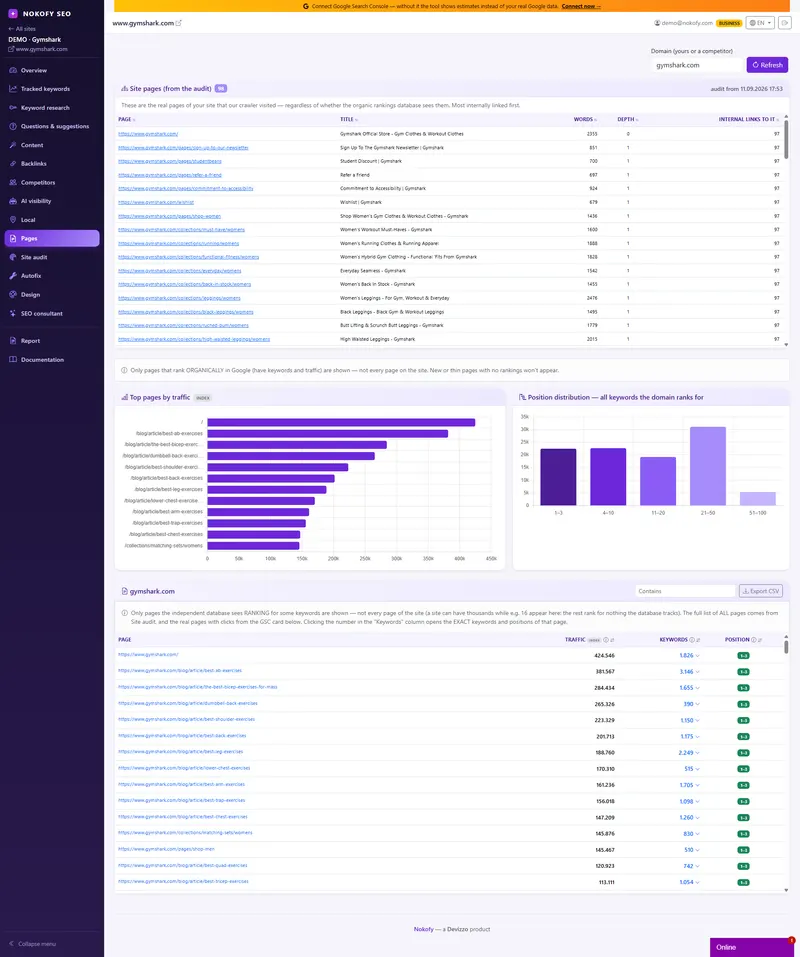
You don't need a new page. You need the one that's already eighth. For any domain you see which pages pull the most organic traffic and how many keywords they rank for. For your own site you also get clicks, impressions, CTR and index status from Search Console.
- 80%
- of visits usually come from a handful of pages
- 41
- keywords one single page ranked for in our example
- 4
- columns: page, traffic, keyword count, position
The problem: you have 80 pages and don’t know which three hold the site up
Most sites live off a handful of pages. Ten percent of addresses bring eighty percent of visits, and the rest just sit there — some nobody ever found, some were good and then fell, some rank at eleventh place where people don’t see them.
The problem is that you don’t know which is which. Google Analytics tells you how many people came, but not for which keyword. Search Console knows the keywords but makes you dig through reports and join two screens yourself. So the most expensive content mistake happens: you write a brand new text about a topic you already have a page for at eighth place, instead of polishing that one page and lifting it to third.
The fastest growth doesn’t come from new pages, but from the ones already close. You just need to know which they are.
How it works
You pick a domain — yours or somebody else’s. For your own site you also get Search Console data if you’ve connected it. For a competitor’s domain you get the organic picture: which of their pages rank and for what.
The table has four columns: page, estimated organic traffic, the number of keywords that page ranks for, and average position. Sort by any of them and in five seconds you see how the strength is distributed across your site.
Then comes the step people use most. Click a row and a list of keywords opens with a position for each. This is where people most often discover that a page written for one topic actually brings visits from several other queries — ones that were never in any plan.
The same procedure on somebody else’s domain shows their strongest pages. That’s the shortest route to a list of topics that work for them and don’t exist on your site.
What you get
Once you connect Search Console, real numbers arrive alongside the estimates — what Google genuinely records for your site.
You see how many times a page was shown in the results and how many times somebody clicked. That’s the one figure that doesn’t lie. Next to it sits CTR, the ratio of clicks to impressions, coloured amber when it drops below average for that position. Such a page is high enough, but people don’t click: the title doesn’t say what they’re looking for, the description is generic, or Google cuts it in half.
Every page also carries an index status — indexed, not indexed, has an error, or the „Google indexes a different address“ case, where search treats your page as a copy of another and shows that other one. Alongside it sits the date Google last crawled the page.
At the top are two badges that shorten the search: how many pages have a weak CTR and how many aren’t cleanly indexed. Clicking a badge filters the table down to those pages. Below come the charts: strongest pages by traffic, and the position distribution, so you see how many of your addresses sit in the top three, how many on the first page, and how many in the zone nobody sees.
A real example
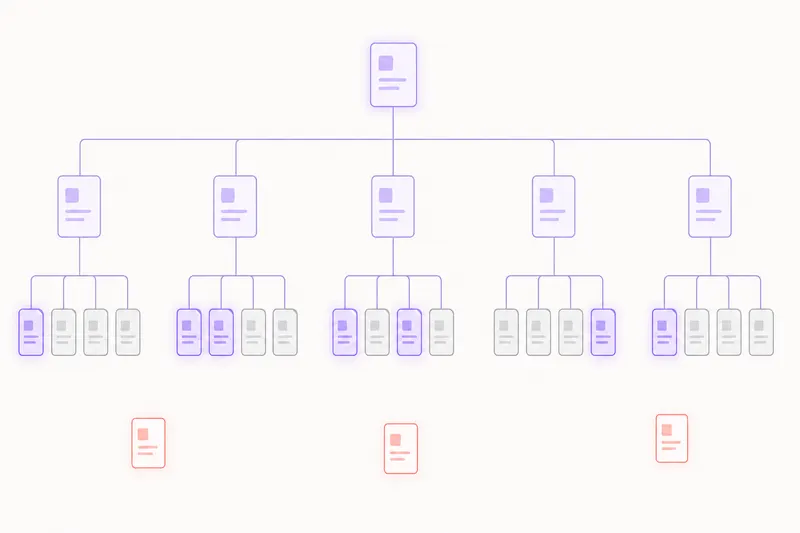
A repair service site with 64 pages. The table shows that three pages carry most of the organic traffic and that one of them ranks for 41 keywords — even though it was written for a single one.
The first badge says 9 pages have a CTR below average for their position. When they’re opened, it turns out they were all written at the same time and their descriptions all start with the same sentence about the company, instead of what the user gets. Rewriting the titles and descriptions takes an hour.
The second badge says 5 pages aren’t cleanly indexed: three marked „Google indexes a different address“, because they exist at two addresses — with a trailing slash and without.
Not one of those fixes is new content. All of them are polish on what already exists, and all of them are done in a single afternoon.
Who it’s for
A site owner gets a list of pages that are close, instead of the feeling that everything has to be written from scratch.
A marketer inside a company gets concrete proof of which page works and how much it brings — it goes into the report without rewriting.
An agency or freelancer uses the competitor domain analysis as the fastest part of preparing a proposal for a new client: half an hour of work instead of half a day.
An online shop sees whether categories rank or only individual products — and where indexing is quietly leaking.
Honestly: the numbers for somebody else’s domain are an estimate of organic visibility, not their analytics — nobody on the outside can reach their real clicks. You get real numbers only for your own site, and only when Search Console is connected.
Frequently asked questions
Where does the data for somebody else's domain come from?
From organic visibility data — which pages appear in search results and for what keywords. That's an estimate, not their analytics. For your own site, once Search Console is connected, the figures are real: clicks, impressions and CTR exactly as Google records them.
Can I see which keywords one page ranks for?
Yes, and it's the part people use most. Click a row in the table and a list of keywords opens with a position next to each. That's usually where the surprise shows up: a page you wrote for one keyword actually ranks for several others you never worked on.
What does „Google indexes a different address“ mean?
That search considers your page to also exist at some other address, and shows that other one instead. Usually the culprit is the same page reachable at several addresses — with a trailing slash and without — or a wrong canonical tag. The site audit tells you which of the two it is.
Why does CTR matter if I'm already on the first page?
Because position earns an impression, and a click earns a visitor. If you're fifth with half the usual CTR for fifth place, you're losing half the people you already earned. The fix is the text of the title and description — no new content and no links. It's the cheapest job in all of SEO.
What are the badges at the top of the card?
Two numbers that tell you immediately where the work is: how many pages have a weak CTR and how many aren't cleanly indexed. Click a badge and the table filters down to exactly those pages, so you don't have to hunt by hand.
How often is the data refreshed?
Search Console data is pulled regularly, and the history is kept with us — so you see a longer period than Search Console itself displays.
Works together with
The tools in Nokofy build on each other — here is what naturally goes with this one.
Site audit
When you see a page isn't indexed, the audit tells you why.
More →Tracked keywords
Put the keyword from eighth place into tracking and watch whether it climbs after the rewrite.
More →Competitors
Here you see their strongest pages; there you see where they overtake you on keywords.
More →Find out which three pages hold your site up
Create an account, add your domain and open the Pages tab. Within minutes you know which page is working, which ranks for more keywords than you think, and which is costing you clicks. No card.
No card · No contract · Cancel anytime