Website checklists: 908 checks, 150 scored for you
You don't need another list. You need an order. Four checklists for your site: SEO, sales, AI visibility and local SEO, each item explaining why it matters and how it's fixed. You score with four buttons, and the tool builds a repair plan sorted by what returns most for least effort.
- 908
- items across four checklists
- 150
- items the tool scores by itself
- 461
- items for sales and conversion alone
The problem: lists everywhere, order nowhere
You type „SEO checklist“ and get fifty articles with a hundred items each. You read three, and each says the same: make a sitemap, optimise images, write quality content. You close all of them and do nothing, because you don’t know where to start or which of those hundred things even applies to your site.
The second problem is that nobody tells you why. It says „add alt text to images“, but not that this is also accessibility for blind users and the only way Google knows what’s in the picture. So you do it mechanically, grudgingly, or not at all.
The third problem is the biggest: nearly all of those lists talk only about SEO. And traffic is worth nothing if a visitor lands on a product page, doesn’t see the price next to the button, can’t find a size chart and leaves. What you’re missing is an order, an explanation, and that other half of the job — the half that turns a visit into a purchase.
How it works
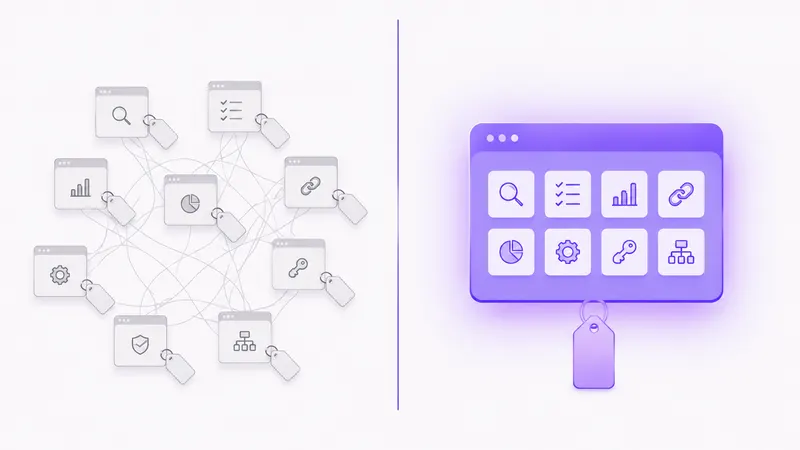
There are four checklists in the box, 908 items in total.
SEO — 280 items across 10 areas: foundations and measurement, technical quality, speed, site structure, content, on-page, local SEO, authority, advice and myths, webspam and penalties. The advice-and-myths area exists because half the SEO advice on the internet concerns rules that no longer apply, so it’s useful to know what not to do as well.
Sales and conversion — 461 items across 15 areas: first impression, navigation, on-site search, homepage, categories and filters, product page, landing pages, basket, checkout, after purchase, mobile, accessibility and text that sells. This is the largest part of the catalogue, deliberately: traffic without conversion is a cost, not a result.
AI visibility — 56 items across 7 areas: everything that affects whether AI mentions you when somebody asks about your service — crawler access, answer structure, sources, author attribution.
Local SEO — 111 items across 8 areas: business profile, site and local content, technical foundations, directories, reviews, local links, measurement and multiple locations. For everyone who sells in their own town.
What comes with every item
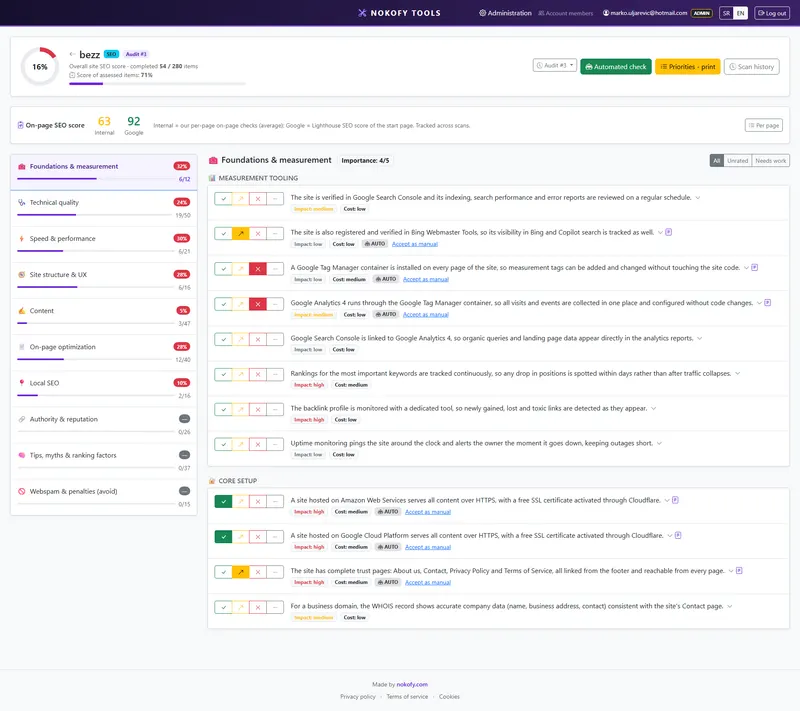
An item isn’t just a sentence, it’s a small handbook. You open it and see what is required, then a „Why it matters“ block explaining what you lose by skipping it — without that, items get done mechanically and abandoned first. Then a „How to fix it“ block, with a concrete procedure instead of theory. Then an example link, a site where it’s done well. Then an impact rating from 1 to 3 and an estimated cost of the fix from 1 to 3 — that second number is what other lists don’t have, and without it there is no real order.
You score with four buttons: Good, Could be better, Bad and Not applicable. The last one matters as much as the other three, because it excludes items that don’t apply to your site. You get two numbers: the overall score against everything applicable, and the score for what has actually been assessed.
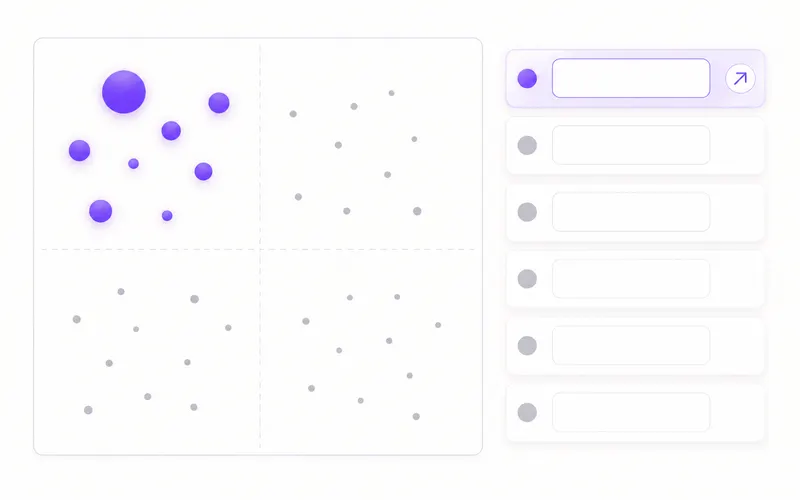
Then comes the part checklists are really used for. The tool takes everything marked Bad or Could be better and builds a repair plan. The sorting isn’t by catalogue order but by the formula (impact + cheapness of the fix) × urgency. In plain terms: at the top is what returns a lot and costs little, at the bottom what costs a lot and returns little. So on Monday morning you don’t choose what to work on — you open the list and start at the top. The plan exports to PDF for a client and CSV for a developer.
You don’t even have to start from an empty list. The scan takes a sample of your pages by type — up to 8 products, 4 categories, 2 text pages, the basket and the homepage — and goes through them in two to five minutes. It checks https and redirects, robots and sitemap, canonical tags, speed, meta tags, H1s, image alt text, analytics, trust pages, contact details and structured data. Then on-site search, including whether it works without accented characters — because someone typing „cizme“ instead of „čizme“ has to find the same thing. Then the shop section: gallery, size chart, price next to the button, stock status, instalments. Your manual scores are never overwritten, and anything the tool filled in itself carries an AUTO or AI mark.
A real example
A site with decent traffic and weak sales. The owner is sure the problem is SEO, because that’s what he’s been working on for the past year.
The scan takes four minutes and scores part of the items by itself. The SEO checklist comes out solid. It’s the sales checklist that stings: the product page has no size chart, stock status isn’t visible until the product is added to the basket, and on-site search finds nothing when typed without accents.
The repair plan puts all three near the top, because all three have high impact and low cost. Not one of them is an SEO item. The next scan, two weeks later, shows what’s been resolved and how much the score has risen.
Who gets the most out of this
If you run your own site — you get a personal checklist by site type and five things to do this week, already on the free plan.
If you’re a marketer inside a company — the repair plan in CSV goes straight into developer tickets, with the reasoning attached to every item.
If you run sites for other people or have a shop — you get projects per client with history over time and a PDF report with your branding, and the 461 conversion items plus the automatic checks are written for shops specifically: gallery, sizes, stock, instalments, checkout.
Honestly: a checklist shows what hasn’t been done, but the fixes are still done by you or your developer. What you get here is the order and the reasoning — not somebody else’s hands.
Frequently asked questions
Do I have to go through all 908 items?
No, and you shouldn't. You run a scan that scores around 150 items by itself, then fill in whatever is closest to your business. The score for what has been assessed exists precisely so an unfinished checklist doesn't look like a bad site.
What if an item doesn't apply to me?
You mark it „Not applicable“ and it leaves the calculation. It doesn't drag your score down and doesn't return to the repair plan — if you don't have a shop, items about the basket and checkout cost you nothing.
Can the automatic check get it wrong?
It can, like any machine check. That's why automatic scores carry an AUTO or AI mark and are always shown separately from yours. If you disagree with one, you overwrite it by hand and the next scan won't touch it again.
What's the difference between the SEO and the CRO checklist?
SEO brings people to the site; CRO turns them into buyers. You can have perfect SEO and zero sales — which is why in this tool they sit together rather than apart.
Can I run several clients?
Yes, on Pro and Business you get projects per client, with several audits per project and history over time. The free plan has one personal checklist per site type.
Can I export the result?
Yes — the repair plan and scores go to PDF for a client or a boss, and to CSV for work, which a developer can turn straight into tickets.
Works together with
The tools in Nokofy build on each other — here is what naturally goes with this one.
Site audit
The audit checks the machinery on every page; the checklists check what a machine struggles to judge.
More →Marketing channels
Once the site is in order, the channels outside it come next, on the same system.
More →Local SEO
The 111 local SEO items lean on rank tracking in your own city.
More →Find out what your next five moves are
Create an account, run a scan, and in five minutes you have a scored checklist and a repair plan sorted by importance. You don't need to know anything about SEO — every item says why it matters and how it's done.
No card · No contract · Cancel anytime