Rank tracker that shows where you really stand
Are you actually growing on Google? Here's the number. Add a keyword, a group and a location, and from that day on you know your position, how much you moved and which of your pages shows up there. Plus what a plain table never gives you: a list of places where you're within reach of a better result, and exactly what to do about each one.
- 16
- months of history per keyword
- 0–100
- search visibility, one number for the report
- 200
- tracked keywords on the free plan
The problem: „I think we’re doing better“ is not data
You do something to the site. You write three articles, rewrite the titles, add product descriptions. And then silence. You google your own service, see yourself in third place and feel good about it. But Google remembers what you searched for before, so it shows you to you — and shows someone else to somebody else. What you see is not what your customer sees.
Then the end of the month comes and someone asks whether anything moved. You say „I think it’s going better“, because you don’t have a single number in hand. Or the opposite — the positions did rise, but nobody measured it, so good work goes unnoticed.
And the biggest loss is in neither of those. The biggest loss is in what you never look at: the keyword where you sit fifth and need one small thing to break into the top three. The question where you’re in the top ten while somebody else’s site holds the answer box. Two of your own pages fighting over the same keyword so both lose. The keyword people already type at you that you never put into tracking because you didn’t know it existed.
How it works
Setting up takes a minute and you do it once. You add a keyword — what people actually type. You add a group — your own way of sorting them by service, product, blog or client. You add a location — the market it’s measured for. That’s the whole job.
From that moment the tool checks where your site appears and, next to every result, says where the number came from: measured now, taken from an earlier snapshot, or read from your Search Console account. A keyword you mark with a star is checked weekly instead of monthly, so the ones that bring you work are almost live.
And one thing happens entirely on its own: the moment you publish an article written in Nokofy on your own site, the keyword it came from enters tracking. You don’t have to remember it or type it in — from the day it goes live you have a measurement. You publish the article yourself: copy the finished HTML or plain text and put it where you need it, because nothing reaches your site without your decision.
What you get beyond the bare position
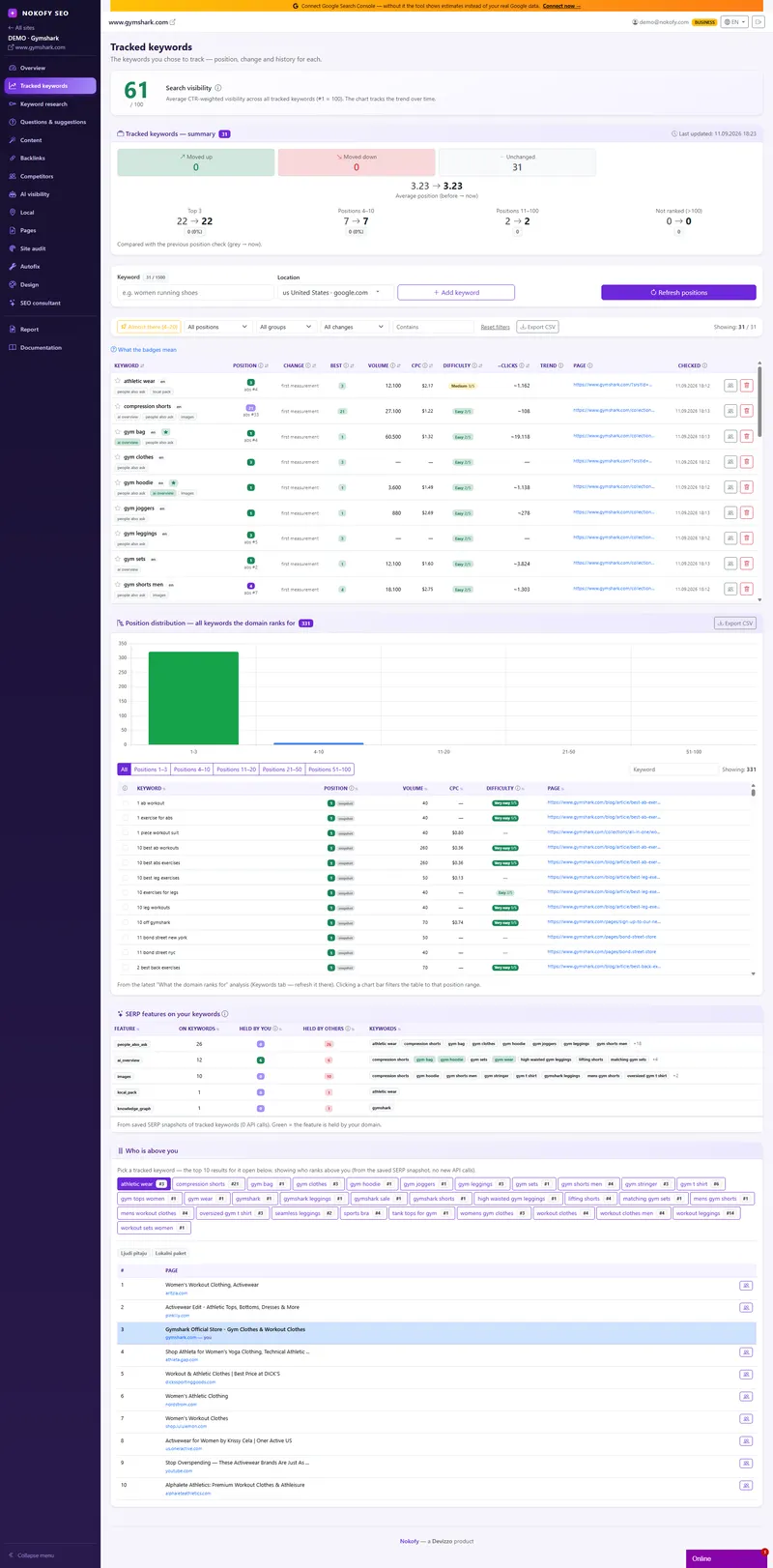
The table holds one row per keyword, and in it: position, change since the last measurement, best position ever, monthly search volume, cost per click in ads, difficulty, estimated clicks, trend, which of your pages ranks and the date of the last check.
Above the table sits search visibility from 0 to 100 — a single number that sums up all your keywords, weighted by how often each position actually gets clicked. First place is worth far more than eighth, so it counts for far more, and that’s the number that goes into the report. Next to it, a summary: how many keywords sit in the top 3, how many at 4–10, how many at 11–100 and how many aren’t ranked yet, plus the average position then and now.
But the useful part is the opportunities, and there are five kinds:
- Featured snippet — keywords where you’re already in the top ten while somebody else’s site holds the box at the top. You don’t need new rankings, you need a better answer.
- „Almost there“ — every keyword between positions 4 and 20, sorted by where the smallest push brings the most. That’s your work list for next month.
- Cannibalisation — two of your own pages fighting over the same keyword, both named.
- Weak CTR — pages people see in the results but click less often than is normal for that position. Usually the fix is one rewritten sentence in the title or description.
- Keywords you aren’t tracking — what people already find you for according to Search Console, with a „Track“ button next to each.
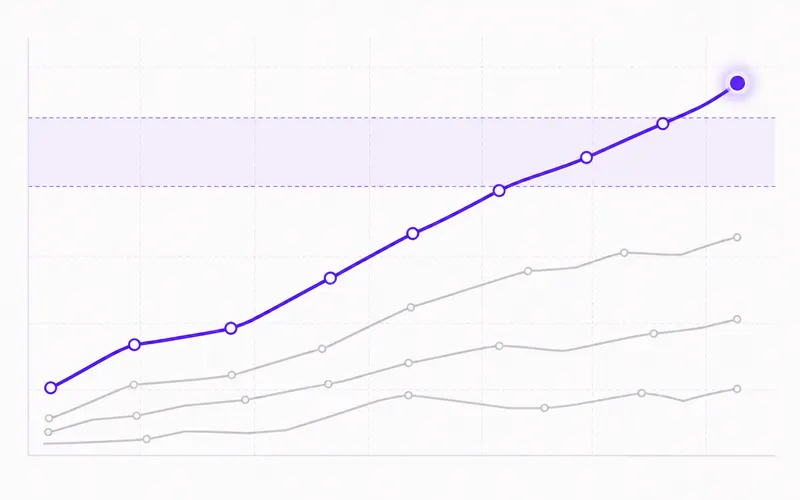
Every keyword also has a chart going up to 16 months back, side by side with general interest in that topic — so you don’t blame yourself for a drop that was really the season.
A real example
A joiner in Novi Sad published three articles about fitted kitchens. The keywords from them entered tracking by themselves, he added five more by hand and starred the two that bring him work — the price one and the city one.
A month later he opens the tab and sees: visibility is up, the average position has dropped from double digits to single digits, one keyword has entered the top 3, four sit at 4–10. „Almost there“ lists six keywords between fourth and ninth place. Among the featured-snippet opportunities sits a question where he’s fifth while a competitor from Belgrade holds the box — so he knows all he needs is one better, shorter answer inside a text he already has.
Under cannibalisation he sees that his service page and one article are fighting over the same keyword, so he rewrites one of them to target a different question. Finally, in the list of keywords he isn’t tracking, he finds three phrases people already type that had never crossed his mind. He clicks „Track“ on all three. Next month he starts from a list instead of from zero.

Who gets the most out of this
If you run your own business — you don’t need to understand a single technical term. You open „Almost there“, see six keywords and do what it says, with an explanation next to every term.
If you’re a marketer inside a company — visibility from 0 to 100 and average position then versus now are two numbers you can walk into a meeting with, and 16 months of history covers the question of whether it used to be better.
If you run other people’s sites or a shop — groups by client, service or category show what’s growing and what’s standing still, stars protect the keywords your client watches, and the largest plan goes up to 1,500 tracked keywords per site.
Honestly: a position is a snapshot of one moment and for the same keyword it can differ from day to day. So watch the trend across weeks and months, not a single measurement — one jump up or down means nothing on its own.
Frequently asked questions
How often is a position measured?
Ordinary keywords monthly, and the ones you star weekly. Every result says where the number came from — measured now, taken from an earlier snapshot, or read from Search Console.
How many keywords can I track?
Free 200, Pro 500, Business 1,500 keywords per site. Keywords from articles you write in Nokofy and publish on your own site enter tracking by themselves, with nothing to type in.
Why does the position you show differ from the one I see?
Because Google shows you results shaped by your search history, your location and your device. We measure neutrally, for the location you set — which is closer to what your customer sees than to what you see in your own browser.
What is a featured snippet opportunity and why does it matter?
The featured snippet is the block at the top that answers the question before every other result. If you're already in the top ten and someone else holds that block, you don't need better rankings — you need a clearer, shorter answer inside the text you already have. That's why those keywords are pulled out separately.
What is cannibalisation and how do I fix it?
It's when two of your own pages compete for the same keyword. Google doesn't know which one to surface, so both usually end up worse off than one would be. The fix is to point one of them at a different question or merge them — the tool names both pages and the keyword involved.
Can I connect Google Search Console?
Yes, and it's worth doing right away. You then get real clicks and impressions, a list of keywords you aren't tracking, and CTR opportunities — all from your own data instead of an estimate.
Works together with
The tools in Nokofy build on each other — here is what naturally goes with this one.
Add ten keywords and see where you really stand
The free plan tracks ten keywords — enough to see where you are for the things that bring you work. Set them up today and in a month you'll have a real number instead of a feeling.
No card · No contract · Cancel anytime