
If you want to accept card payments on webshop and grow your ecommerce business, you need more than just a payment gateway. Integrating card payments directly impacts SEO, technical performance, and conversion rates. This article explains what site owners and digital marketers must know to ensure seamless payments without sacrificing search visibility or user experience.
In this article:
- Key takeaways
- How Do You Accept Card Payments on a Web Shop?
- What Are the SEO Impacts of Payment Gateway Integration?
- Optimizing Online Shop Payments for User Experience and Conversion
- Monitoring and Improving Ecommerce Payments with SEO Software
- Frequently Asked Questions
- Conclusion
Using insights from advanced AI SEO platforms like Nokofy, you’ll learn how to set up card payments, avoid SEO pitfalls, and optimize the checkout process for higher conversions. Discover practical steps, technical considerations, and how specialized SEO software can help you monitor, audit, and continually improve your webshop’s payment performance.
Key takeaways
- Choosing the right payment gateway affects both user experience and SEO on your webshop.
- Technical integration of ecommerce payments must prioritize site speed, security, and crawlability.
- Regular technical and CRO audits, supported by AI SEO tools like Nokofy, are essential for ongoing optimization.
How Do You Accept Card Payments on a Web Shop?
To accept card payments on a webshop, the process starts with selecting a payment gateway that securely processes credit and debit card transactions between your site, your customers, and their banks. The payment gateway acts as the bridge, encrypting sensitive data and ensuring compliance with regulations like PCI DSS. Integration typically involves connecting your ecommerce platform—such as WooCommerce, Shopify, or Magento—with the chosen payment provider via plugins, APIs, or custom code. This integration should be seamless, minimizing friction at checkout to prevent cart abandonment and maximize conversions.
Choosing the right payment provider is critical for both security and business performance. Key factors include:
- Security: Look for PCI DSS compliance, fraud prevention tools, and strong data encryption.
- Fees: Compare transaction, setup, and monthly fees, which can vary significantly between providers.
- User experience: Evaluate the simplicity of the checkout flow, mobile optimization, and support for local payment methods.
| Provider | Security Features | Average Fees | User Experience Notes |
|---|---|---|---|
| Stripe | PCI DSS Level 1, 3D Secure | 2.9% + $0.30/transaction | Fast, mobile-friendly, customizable |
| PayPal | PCI DSS, fraud management | 2.9% + $0.30/transaction | Familiar for users, supports PayPal balance |
| Local Bank Gateway | Varies by bank | 1.5–3%/transaction | Preferred for domestic buyers, may lack mobile UX |
For small and medium ecommerce businesses, the right gateway depends on your audience and needs. For example, a Serbian webshop targeting local buyers may benefit from a gateway that supports DinaCard and offers Serbian-language support, while a global shop may prioritize providers with broad international coverage. Seamless integration not only boosts conversion rates but also impacts payment gateway SEO: slow checkout scripts, redirect-based gateways, or technical errors can reduce both search rankings and sales.
Technical optimization is essential. Nokofy offers detailed technical SEO audits that identify issues with payment integrations—such as slow-loading scripts, non-secure elements, or mobile usability problems—that can harm both user experience and SEO. By using automated tools to track and fix these issues, ecommerce sites ensure their online shop payments run smoothly and efficiently, directly supporting growth and visibility.
What Are the SEO Impacts of Payment Gateway Integration?
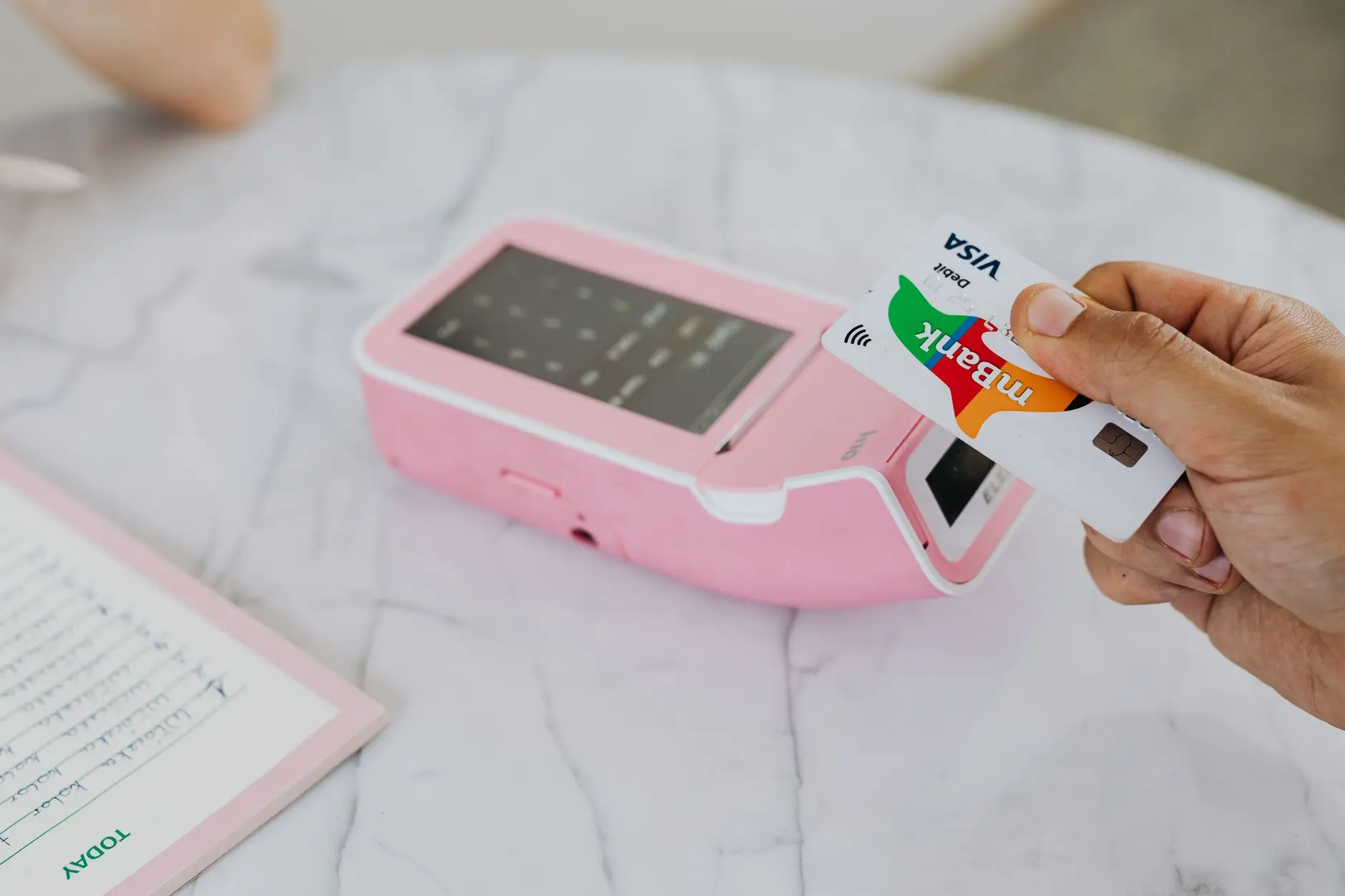
Integrating a payment gateway to accept card payments on webshop platforms brings a series of technical and SEO considerations that directly influence your ecommerce visibility and performance. While payment gateways streamline online shop payments and build customer trust, their implementation can impact your site's speed, crawlability, and even the way search engines interpret your key conversion pages.
Site Speed: Every additional script or redirect from a payment provider can slow down load times, especially on mobile devices. Slow pages are penalized by Google and frustrate buyers at the critical checkout stage. Conducting regular technical SEO audits helps identify heavy scripts or bottlenecks introduced by payment integrations. Tools like Nokofy automate this process, providing actionable insights and prioritizing fixes for optimal speed.
URL Structure & Crawlability: Some payment gateways create external payment URLs or use iframes, which can disrupt a logical URL structure and limit the ability of search engines to crawl and index key ecommerce payments pages. Ensuring payment steps remain under your domain and follow a clear, crawlable path boosts both search rankings and user trust.
Mobile-Friendliness and Security: With most ecommerce traffic coming from mobile, your payment experience must be fast, responsive, and fully HTTPS-secured. Google favors mobile-optimized, secure checkout flows in its rankings. If your payment integration redirects users to non-secure or non-optimized pages, rankings and conversions suffer.
Structured Data & Technical Health: Marking up payment pages with relevant structured data can help search engines understand the transaction process, eligibility, and trust signals. Technical issues—like broken links, uncompressed assets, or missing canonical tags—on payment pages can hurt overall site authority. Nokofy’s Technical SEO Checklist automates more than 1,000 checks, including those focused on ecommerce and payment flows, flagging issues that might otherwise go unnoticed.
For those seeking in-depth optimization, the Ecommerce CRO checklist covers 461 specific checks from first impression to final checkout, ensuring your payment process is not just functional but fully optimized for search visibility and conversion.
- Action Steps: Test your payment integration’s impact on speed and responsiveness.
- Review URL structure to ensure payment steps are crawlable and under your main domain.
- Use technical SEO tools to scan and monitor for issues that affect ranking.
- Implement structured data to clarify payment page intent to search engines.
By leveraging a platform like Nokofy, ecommerce businesses can automate these technical checks, receive prioritized action plans, and quickly adapt payment gateway setups for the best possible SEO and user experience outcomes.
Optimizing Online Shop Payments for User Experience and Conversion

Streamlining the process to accept card payments on webshop is essential for minimizing friction and boosting conversion rates. A seamless payment journey starts with clear, concise form design—only the necessary fields, logical tab order, and real-time validation help users complete transactions quickly. Displaying trust signals, such as security badges and transparent privacy policies, reassures customers that their data is safe. Effective error handling—like highlighting incorrect fields and providing specific guidance—prevents frustration and encourages users to finish their purchase rather than abandon the cart.
Transparent pricing throughout the checkout process further reduces doubts that might lead to abandonment. Unexpected fees at the final step can erode trust instantly. Fast-loading payment pages also play a significant role: shoppers, particularly on mobile, will drop off if the payment form lags or fails to load. Additionally, offering localized payment options—such as enabling regional cards or trusted local gateways—caters to broader audiences and builds confidence across markets.
Ecommerce businesses can struggle to pinpoint exactly where users face obstacles in the payment funnel. This is where a comprehensive CRO analysis, like the Ecommerce CRO checklist from Nokofy, becomes invaluable. With 461 focused checks spanning the entire funnel, the tool identifies specific friction points—from confusing button labels to missing trust elements—and provides actionable fixes, complete with why each matters, how to resolve it, and estimated effort. Such granular analysis, combined with Nokofy’s automated technical SEO audits and on-page optimization, ensures that checkout improvements are not only user-centric but also SEO-friendly. For a broader understanding of optimizing both content and technical elements, see On-page SEO vs Technical SEO.
Improving the payment experience does more than increase sales; it also drives stronger SEO signals. When visitors encounter fewer obstacles, they stay longer, interact more, and are less likely to bounce—metrics that search engines associate with higher quality and relevance. By reducing cart abandonment and boosting successful ecommerce payments, your webshop can achieve a virtuous cycle: higher conversion rates lead to increased engagement, which in turn strengthens your SEO standing and attracts even more qualified traffic.
Monitoring and Improving Ecommerce Payments with SEO Software
Continuous monitoring is essential for any ecommerce business aiming to accept card payments on webshop efficiently and securely. Tracking payment performance, user behavior throughout the checkout process, and keyword rankings related to online shop payments allows you to quickly pinpoint friction points and lost revenue opportunities. For example, if users consistently drop off at the payment gateway step, this signals a technical or UX issue that directly impacts both sales and SEO.
AI-powered SEO tools like Nokofy automate this kind of monitoring—and go beyond basic analytics. Nokofy regularly assesses your website’s technical health, payment process flow, and keyword visibility, then generates actionable plans for improvement. Its recommendations are tailored to your market and language, so whether your ecommerce store targets Serbian shoppers or an international audience, you receive relevant, practical advice. By using Nokofy’s integrated checklists, ecommerce owners can ensure both payment gateways and supporting content are always optimized for conversion and search visibility.
For example, with an automated audit, Nokofy can identify if your payment confirmation page is blocked from Google indexing, or if slow payment processing affects your bounce rate and keyword rankings. It can also highlight missing trust signals (like security badges), confusing button labels, or even outdated payment options—all of which can be addressed using Nokofy’s Ecommerce CRO checklist of 461 targeted checks from entry to checkout. This ensures every stage of the payment journey is optimized for both user experience and search engines.
To implement regular audits for ecommerce payments and SEO:
- Schedule periodic technical audits to detect errors in payment gateway integration and on-site SEO.
- Use AI tools to monitor keyword rankings around terms like "accept card payments on webshop" and "payment gateway SEO."
- Track user sessions and funnel analytics to identify where payment drop-offs occur.
- Apply data-driven recommendations—such as those from Nokofy’s checklists—to resolve technical, UX, and content issues.
- Revisit keyword research, leveraging resources like Research Keywords with Search Volume, to align payment-related content with real search behavior.
By integrating automated SEO software tailored for ecommerce, you can ensure that payment processes are not only functional but also optimized for maximum visibility and conversion. Automated, market-specific insights mean your site remains agile and competitive as payment technologies and search trends evolve.
Frequently Asked Questions
Which payment gateways are best for SEO on ecommerce sites?
Payment gateways that offer fast loading, seamless integration, and mobile responsiveness are ideal for SEO. Look for gateways like Stripe, PayPal, or Adyen that support on-site payments to reduce redirects and maintain user experience. Ensure your chosen gateway is compatible with SEO tools like Nokofy for streamlined technical and performance audits.
Does integrating card payments slow down my webshop?
Card payment integration can affect site speed if not optimized. Use lightweight plugins, enable caching, and minimize external scripts to maintain fast load times. Regular technical SEO audits—such as those automated by Nokofy—help identify and resolve speed bottlenecks caused by payment integrations.
How can I make my payment process more secure for users?
Implement SSL certificates, use PCI-compliant payment gateways, and enable two-factor authentication to enhance security. Secure payment processes build trust and are favored by search engines. Nokofy’s technical checklists can help ensure your webshop meets current security standards for payment processing.
What technical SEO checks are essential for payment pages?
Ensure payment pages load quickly, use HTTPS, have clear URL structures, and avoid duplicate content. Implement structured data for product and transaction information. Nokofy provides actionable checklists and automated technical audits tailored for ecommerce, helping you maintain SEO-friendly payment pages.
Can optimizing payment pages improve my webshop’s Google ranking?
Improved page speed, secure connections, and a seamless checkout experience positively impact user behavior and reduce bounce rates, both of which are ranking signals. Optimizing payment pages with tools like Nokofy can directly contribute to better Google visibility and higher conversion rates.
How do I track the SEO performance of my payment and checkout pages?
Use analytics platforms to monitor traffic, bounce rates, and conversion metrics for payment pages. Track keyword rankings and page performance over time with comprehensive SEO software like Nokofy, which automates monitoring and provides detailed insights into your checkout funnel’s search visibility.
Ready to optimize your ecommerce payment process for SEO and growth?
Automate keyword research, technical audits, and performance tracking with a single platform. Discover how Nokofy can simplify and enhance your webshop’s SEO and user experience at Nokofy.com.
Conclusion
Accepting card payments on your webshop is more than a technical necessity—it directly shapes user experience, impacts SEO, and determines overall ecommerce growth. By ensuring seamless payment integration and optimizing for both search engines and customer satisfaction, site owners can reduce abandoned carts and boost conversion rates. Advanced SEO tools like Nokofy enable continuous monitoring and improvement of payment flows, helping businesses stay ahead in a competitive digital landscape.
If you want to ensure your webshop’s payment process is both search-engine friendly and conversion-optimized, explore how Nokofy’s AI-driven platform can automate audits, track key SEO and CRO metrics, and provide actionable improvement plans for your ecommerce site. Discover more at Nokofy and take the next step toward smarter, more profitable online sales.